


Impact to date:
Initial indications report the infections began spreading across Europe, with first infections in the Ukraine, where over 12,500 machines were affected by the malware. Infections have spread across 64 countries so far, including Belgium, Brazil, Germany, Russia and the United States. The latest victims in the U.S. :
- Pittsburgh, where Valley Health Systems’ two hospitals were slammed, causing surgeries to be canceled
- The Law Firm of DLA Piper
- Merck Pharmaceutical
- Maersk Cargo – causing cargo delays
Source and nature of this malware
The current ransomware malware, called Petya/NotPetya, uses the same core components of the NSA released malware called Eternal Blue. This malware was released through faulty tax accounting software (MEDOC) updater service in the Ukraine. The malware attempts to spread to the existing network with wormlike capabilities, but does not try to propagate to other outside networks. The malware is a software supply chain attack, a recent trend with attackers. This new ransomware employs the same EternalBlue exploit used by Wannacry, allowing it to spread quickly between infected systems. It uses multiple techniques to spread, including one which was addressed by a security update previously provided for all platforms from Windows XP to Windows 10 (MS17-010). The objective of this ransomware is not so much to obtain bitcoin ransom as it is to steal credentials, impersonate users and exfiltrate sensitive data. Kaspersky believes that this malware campaign was not designed as a ransomware attack for financial gain. Instead, it appears it was designed as a wiper attack to cause widespread damage and render systems unbootable.
Specifics of the Petya/NotPetya malware:
- Installation: Initial infection involves dropping the MEDOC updater file “ezvit.exe” in a command line, and executing the following command line: C:\\Windows\\system32\\rundll32.exe\” \”C:\\ProgramData\\perfc.dat\”,#1 30
The ransomware spreading functionality is composed of multiple methods responsible for:
- Stealing credentials or re-using existing active sessions
- Using file-shares to transfer the malicious file across machines on the same network
- Using existing legitimate functionalities to execute the payload or abusing SMB vulnerabilities for unpatched machines.
- Lateral Movement: This ransomware drops a credential dumping tool (typically as a .tmp file in the %Temp% folder) that shares code similarities with Mimikatz and comes in 32-bit and 64-bit variants.
Once the ransomware has valid credentials, it scans the local network to establish valid connections on ports tcp/139 and tcp/445. A special behavior is reserved for Domain Controllers or servers: this ransomware attempts to call DhcpEnumSubnets() to enumerate DHCP subnets; for each subnet, it gathers all hosts/clients (using DhcpEnumSubnetClients()) for scanning for tcp/139 and tcp/445 services. If it gets a response, the malware attempts to copy a binary on the remote machine using regular file-transfer functionalities with the stolen credentials.
It then tries to execute remotely the malware using either PSEXEC or WMIC tools.
The ransomware attempts to drop the legitimate psexec.exe (typically renamed to dllhost.dat) from an embedded resource within the malware. It then scans the local network for admin$ shares, copies itself across the network, and executes the newly copied malware binary remotely using PSEXEC.
In addition to credential dumping, the malware also tries to steal credentials by using the CredEnumerateW function to get all the other user credentials potentially stored on the credential store.
This ransomware also uses the Windows Management Instrumentation Command-line (WMIC) to find remote shares (using NetEnum/NetAdd) to spread to. It uses either a duplicate token of the current user (for existing connections), or a username/password combination (spreading through legit tools).
- Lateral Movement using SMB: The new ransomware can also spread using an exploit for the Server Message Block (SMB) vulnerability CVE-2017-0144(also known as EternalBlue), which was fixed in security update MS17-010and was also exploited by WannaCrypt to spread to out-of-date machines. In addition, this ransomware also uses a second exploit for CVE-2017-0145 (also known as EternalRomance, and fixed by the same bulletin). This ransomware also attempts to use these exploits by generating SMBv1 packets (which are all XOR 0xCC encrypted) to trigger these vulnerabilities.
- Encryption: This ransomware’s encryption behavior depends on the malware process privilege level and the processes found to be running on the machine. It does this by employing a simple XOR-based hashing algorithm on the process names, and replaces original files with encrypted files using the same names. Encryption is using RSA key 2048 bits, virtually uncrackable.
- Overwrite the MASTER BOOT RECORD: Beyond encrypting files, this ransomware also attempts to overwrite the MBR and the first sector of the VBR. If the malware runs with SeShutdownPrivilege or SeDebugPrivilege or SeTcbPrivilege privilege, it overwrites the MBR of the victim’s machine. It directly accesses the drive0 \\\\.\\PhysicalDrive0.
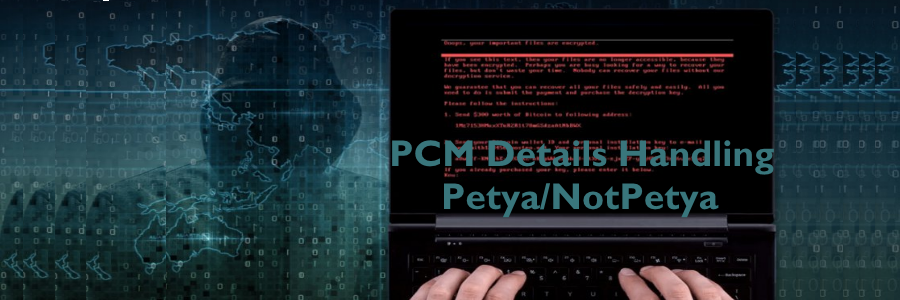
- Drops Text File: After completing its encryption routine, this ransomware drops a text file called README.TXT in each fixed drive. The said file has the following text:
“OOPS, your important files are encrypted….send $300 dollars’ worth of bitcoin to the following address:” (and provides the email address).
- CLEARS SYSTEM EVENT LOGS AND NTFS JOURNAL INFO– This ransomware also clears the System, Setup, Security, Application event logs and deletes NTFS journal info.
If the ransomware has reached this point, the victim computer is severely compromised and incapacitated.
REMEDY:
Unfortunately, the German email service provider has deleted the email address identified in the ransomware payload, so it is impossible to pay the $300 ransom to obtain the decryption key!
One temporary solution to protect exposed systems is to add a text file called “perfc” with read-only attribute can prevent the encryption.
Steps to Protect against this malware:
1. Block the following IP addresses (used to maliciously distribute malware) at your firewalls:
185.165.29.78
111.90.139.247
95.141.115.108
84.200.16.242
169.239.181.127
2. Keeping your Windows 10 up-to-date gives you the benefits of the latest features and proactive mitigations built into the latest versions of Windows. In Creators Update, Microsoft further hardened Windows 10against ransomware attacks by introducing new next-gen technologies and enhancing existing ones.
As another layer of protection, Windows 10 Sonly allows apps that come from the Windows Store to run. Windows 10 S users are further protected from this threat.
4. We recommend customers that have not yet installed security update MS17-010 to do so as soon as possible. Until you can apply the patch, we also recommend two possible workarounds to reduce the attack surface:
a. Disable SMBv1 with the steps documented at Microsoft Knowledge Base Article 2696547and as recommended previously.
b. Consider adding a rule on your router or firewall to block incoming SMB traffic on port 445.
c. Follow this link and check the patch for Win7. https://technet.microsoft.com/en-us/library/security/ms17-aspx
d. Also you can disable port TCP139 and TCP 445 if you suspect network is infected with the ransomware as a last resort. Before that, make sure your systems are patched and AV updated.
5. As the threat targets ports 139 and 445, your customers can block any traffic on those ports to prevent propagation either into or out of machines in the network. You can also disable remote WMI and file sharing. These may have large impacts on the capability of your network, but may be suggested for a very short time period while you assess the impact and apply definition updates.
6. Windows Defender Antivirus detects this threat as Ransom:Win32/Petya as of the 247.197.0 update. Windows Defender Antivirus uses cloud-based protection, helping to protect you from the latest threats.
7. For enterprises, use Device Guard to lock down devices and provide kernel-level virtualization-based security, allowing only trusted applications to run, effectively preventing malware from running.
8. Monitor networks with Windows Defender Advanced Threat Protection, which alerts security operations teams about suspicious activities. Download this playbook to see how you can leverage Windows Defender ATP to detect, investigate, and mitigate ransomware in networks: Windows Defender Advanced Threat Protection – Ransomware response playbook.
9. Scan your systems with a qualified scanning service.
10. Validate patch status and implement patches to keep your systems up to date.
11. Update your .dat files/signatures on endpoints/servers.
12. Ensure secondary Advanced Threat Protection on critical systems.
13. Update perimeter defense signatures.
14. Update SOC Indicators of compromise (IOC) indicators/signatures.
15. Check your reporting dashboard.

The opinions expressed in this post belong to the individual contributors and do not necessarily reflect the views of Information Security Buzz.