

Close Menu
  • Home
  • Articles
    • Attacks
      • BEC
      • Data Breach
      • DDoS
      • Evasion Attacks
      • Injection
      • Malware
      • MITM
      • Phishing
      • Ransomware
      • RCE
      • Social Engineering
      • Spoofing
      • Spyware
    • Business and Policy
      • BCP and DRP
      • GRC
      • Regulations
    • Data Protection
      • DLP
      • DRM
      • Encryption
      • IAM
    • Future, Trends and Insight
      • AI
      • Events & Community
      • Emerging Tech
      • Expert Panel
      • Interviews With Experts
      • Insights
      • Study & Research
    • Resources
      • Guides
      • Tools
      • Training & Education
    • Security
      • API
      • Apps
      • Cloud
      • Critical Infrastructure
      • Endpoint
      • Hardware
      • IoT
      • Mobile
      • Network
      • OT
      • Port Security
      • Security Architecture
      • Software Development
      • Supply Chain
      • Zero Trust
    • Threats and Vulnerabilities
      • Emerging Threats
      • Insider Threats
      • Risk Management
      • Threat Intelligence
      • Zero Day
  • News and Exclusives
    • Latest News
    • ISB Exclusive
    • Positive News
  • Who We Are
    • About Us
    • Information Security Buzz Expert Panel​
    • Write for Us
    • Media Pack
  • Contact Us
  • Newsletter
Facebook X (Twitter) LinkedIn
Information Security BuzzInformation Security Buzz
  • Home
  • Articles
    • Attacks
      • BEC
      • Data Breach
      • DDoS
      • Evasion Attacks
      • Injection
      • Malware
      • MITM
      • Phishing
      • Ransomware
      • RCE
      • Social Engineering
      • Spoofing
      • Spyware
    • Business and Policy
      • BCP and DRP
      • GRC
      • Regulations
    • Data Protection
      • DLP
      • DRM
      • Encryption
      • IAM
    • Future, Trends and Insight
      • AI
      • Events & Community
      • Emerging Tech
      • Expert Panel
      • Interviews With Experts
      • Insights
      • Study & Research
    • Resources
      • Guides
      • Tools
      • Training & Education
    • Security
      • API
      • Apps
      • Cloud
      • Critical Infrastructure
      • Endpoint
      • Hardware
      • IoT
      • Mobile
      • Network
      • OT
      • Port Security
      • Security Architecture
      • Software Development
      • Supply Chain
      • Zero Trust
    • Threats and Vulnerabilities
      • Emerging Threats
      • Insider Threats
      • Risk Management
      • Threat Intelligence
      • Zero Day
  • News and Exclusives
    • Latest News
    • ISB Exclusive
    • Positive News
  • Who We Are
    • About Us
    • Information Security Buzz Expert Panel​
    • Write for Us
    • Media Pack
  • Contact Us
  • Newsletter
Subscribe
Information Security BuzzInformation Security Buzz
Home - News & Analysis - Becoming a System Administrator: Navigating the Crucial Role of Soft Skills, Education, and Experience
News & Analysis Security Training & Education

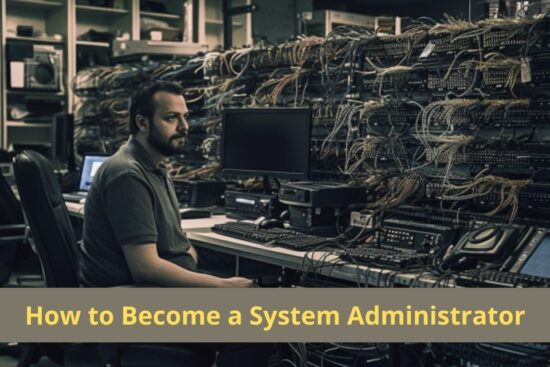
Becoming a System Administrator: Navigating the Crucial Role of Soft Skills, Education, and Experience

Alex TrayBy Alex TrayOctober 13, 2023Updated:August 24, 20244 Mins Read
Share LinkedIn Twitter Facebook Copy Link Email
Share
Facebook Twitter LinkedIn Email Copy Link
Quick AI Summary
ChatGPTClaudeGeminiGrokPerplexityDeepSeekCopilot

In today’s rapidly evolving digital landscape, the role of a system administrator has become more critical than ever. System administrators, often referred to as sysadmins, are the unsung heroes who keep the IT infrastructure of organizations running smoothly. They ensure that networks are secure, servers are performing optimally, and software is up to date. To become a successful system administrator, it’s crucial to develop a well-rounded skill set that combines technical expertise, soft skills, education, and hands-on experience.

What is a System Administrator?

A system administrator is responsible for managing an organization’s IT infrastructure, which includes servers, networks, and sometimes even cloud-based systems. Their duties encompass a wide range of tasks, such as setting up and maintaining servers, configuring and managing network equipment, performing routine backups, monitoring system performance, and troubleshooting technical issues as they arise. The sysadmin plays a pivotal role in ensuring that an organization’s IT resources remain accessible, secure, and efficient.

1. Technical Skills: The Foundation

Becoming a system administrator starts with a strong foundation of technical skills. Sysadmins need to be proficient in various areas, including operating systems, networking, virtualization, and scripting. A strong knowledge of popular operating systems like Linux and Windows is a must. Networking expertise, including an understanding of TCP/IP, routers, and firewalls, is essential for managing and securing the network infrastructure. Virtualization technologies like VMware and Hyper-V are also commonly used and require in-depth knowledge.

Scripting skills are valuable for automating repetitive tasks. Languages such as Bash, PowerShell, or Python are often used to create scripts that can save time and reduce human error in system administration tasks. While technical skills are crucial, they are only part of the equation for a successful sysadmin.

2. Soft Skills: The Bridge to Success

In addition to technical prowess, sysadmins must possess a set of soft skills to excel in their roles. These skills include:

a. Communication: Effective communication is a cornerstone of a sysadmin’s work. They need to be able to explain complex technical issues to non-technical staff and collaborate with different teams within the organization. Clear communication fosters cooperation and helps prevent misunderstandings.

b. Problem-Solving: System administrators are often faced with challenging technical issues that require creative problem-solving. A logical and methodical approach to troubleshooting is crucial for identifying and resolving problems efficiently.

c. Adaptability: The IT landscape is constantly evolving. Sysadmins must be adaptable and open to learning new technologies and tools to keep up with the ever-changing field of IT.

d. Time Management: With multiple tasks to juggle, effective time management is essential. Prioritizing tasks and meeting deadlines is critical to maintaining system reliability.

e. Security Awareness: Cybersecurity is a top concern in today’s digital world. System administrators must be vigilant and proactive in implementing security measures and staying up to date with the latest security threats and best practices.

3. Education: The Knowledge Base

A formal education in information technology can provide a strong foundation for aspiring system administrators. Many colleges and universities offer degree programs in IT or related fields, and these can be a great starting point. However, formal education is just one part of the equation.

Certifications are also highly regarded in the IT industry. Certifications like CompTIA Network+, CompTIA Security+, Cisco CCNA, and Microsoft Certified Systems Administrator (MCSA) can help you gain credibility and demonstrate your expertise to potential employers. Earning certifications can be particularly beneficial if you’re starting your IT career or looking to advance in the field.

4. Experience: Learning by Doing

No amount of theoretical knowledge can replace hands-on experience. Gaining real-world experience is crucial for becoming a competent sysadmin. Many successful system administrators start in entry-level IT positions, such as help desk support or junior IT roles, where they can learn the ropes and gradually take on more responsibility.

Internships and volunteering can also provide valuable experience and networking opportunities. Working on personal projects or contributing to open-source projects can be a great way to showcase your skills and build a portfolio.

The Path to Becoming a System Administrator

Becoming a system administrator is not a straightforward journey, and there is no one-size-fits-all approach. It requires a combination of technical skills, soft skills, education, and practical experience. Whether you’re just starting or looking to advance in your IT career, remember that continuous learning and adaptability are keys to success in this dynamic field. By mastering these elements and embracing the ever-changing nature of IT, you can become a proficient system administrator who keeps the digital gears of organizations running smoothly.

Alex Tray

I am a system administrator with ten years of experience in the IT field. After receiving a Bachelor’s degree in Computer Science, I worked at multiple Silicon Valley companies and helped launch several startups. Currently, I am employed as a system administrator at one of the major tech companies in Texas. My primary expertise is Windows Server and Desktop Administration with extensive knowledge of Azure, Active Directory, Office365, DNS, DHCP, Group Policy, Endpoint Manager (Intune) and Microsoft Endpoint Configuration Manager (SCCM).

  • Alex Tray
    Top Strategies for Guaranteeing Client Data Security in GDPR-Compliant Advertising
  • Alex Tray
    Modern Data Backup Methods for safeguarding Your Data
  • Alex Tray
    The Top 10 Greatest Options for Microsoft Office 365 Backup in 2023
  • Alex Tray
    Data Backup and Recovery: 10 Essential Strategies for VMware on Mac in Corporate Environments

The opinions expressed in this post belong to the individual contributors and do not necessarily reflect the views of Information Security Buzz.

Share. Facebook Twitter LinkedIn Email Copy Link

Related Posts

Understanding Cloud Access Security Brokers (CASB)

March 28, 202410 Mins Read

Decoding Cloud Security Posture Management (CSPM)

March 28, 202411 Mins Read

Enhance Your Digital Crime and Security Practices Today

March 28, 20249 Mins Read
ISB-Bora-Side-Bar

 
ISB-Bora-Side-Bar
Black ISB Logo

Information Security Buzz is an independent resource that provides the experts’ comments, analysis, and opinion on the latest Cybersecurity news and topics

X (Twitter) LinkedIn Facebook RSS

Working With Us

  • About Us
  • Advertise With Us
  • Contact Us

Write For Us

  • How To Contribute

The Pages

  • Privacy Policy
  • Cookie Policy
  • AI Policy
  • Terms & Conditions
  • Copyright Notice

Information Security Buzz and all its contents are copyright © 2014-2025. All rights reserved. All third-party trademarks are recognized.

Type above and press Enter to search. Press Esc to cancel.

Manage Consent
To provide the best experiences, we use technologies like cookies to store and/or access device information. Consenting to these technologies will allow us to process data such as browsing behavior or unique IDs on this site. Not consenting or withdrawing consent, may adversely affect certain features and functions.
Functional Always active
The technical storage or access is strictly necessary for the legitimate purpose of enabling the use of a specific service explicitly requested by the subscriber or user, or for the sole purpose of carrying out the transmission of a communication over an electronic communications network.
Preferences
The technical storage or access is necessary for the legitimate purpose of storing preferences that are not requested by the subscriber or user.
Statistics
The technical storage or access that is used exclusively for statistical purposes. The technical storage or access that is used exclusively for anonymous statistical purposes. Without a subpoena, voluntary compliance on the part of your Internet Service Provider, or additional records from a third party, information stored or retrieved for this purpose alone cannot usually be used to identify you.
Marketing
The technical storage or access is required to create user profiles to send advertising, or to track the user on a website or across several websites for similar marketing purposes.
  • Manage options
  • Manage services
  • Manage {vendor_count} vendors
  • Read more about these purposes
View preferences
  • {title}
  • {title}
  • {title}