


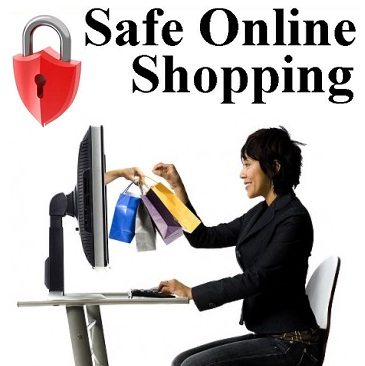

There’s no need to hide shopaholics, you’re in good company. The internet’s connectivity has exploded into the retail market in the last decade, and everything from chickens to chalkboard paint can be ordered online now. With the convenience online shopping offers, many customers are skipping Black Friday for Cyber Monday, and even letting their groceries get delivered right to their door.
There’s a lot to be said for never having to step out your front door and fight traffic to get what you need, and the world is totally onboard. All of this convenience and availability coupled with free shipping has turned the competitive retail market into a whole new game, and store who wants a fighting chance is quickly setting up online stores to go with their brick and mortar establishments.
Of course, everything has a catch, and online shopping certainly has one: security. Sure, you may not have to put on pants or fill up your tank, but you ultimately take a gamble when shopping online due to the degree of sensitive information required to fulfill purchases. Payment information, shipping addresses, e-mails, and login information all cross cyberspace to an e-tailer’s server, and you just have to hope that it isn’t intercepted along the way, and that the site’s security it top notch.
The Threats

Malware is definitely one of the more common threats to your security when you’re shopping online, and it’s one that many people are unfamiliar with. Basically, malware is any software with bad intentions. More often than not, it comes bundled and hidden in other software. Once installed, it begins to wreak havoc.
This software can do anything from collect personal information, to sabotaging your device. Its applications are endless, and the ramifications are often devastating to a system. Websites will try to create a software package that looks professional and legitimate, while embedding a malware program inside of it. Beware of any downloadable programs from companies you don’t trust, or websites you aren’t familiar with.
Phishing is also a huge security threat that you can fall victim to while shopping online. It works in much the same way as malware, instead tricking customers into following links that uses malware to steal financial information from them. This practice is extremely common, and is done through e-mail as well as web pages.
Besides phishing and malware, there are plenty of other ways for crooks to get your information while you shop online. Using websites that are unsecure can allow hackers to access sensitive personal information, and that risk is even more prevalent over an open public Wi-Fi network.
In addition, hackers can get directly into your connection if your device’s sharing and security settings aren’t set to the right mode. Using sharing settings like remote login, these hackers can swipe your credentials, and access all of the information you use to purchase items.
Basic Prevention: What You Can Do

There’s no need to stuff away that credit card and hoof it to the store though – there are some simple preventative measures you can take to ensure that your connection and information stays private, so you can shop online without worrying. Just follow these simple tips, and be smart and thorough about who you buy from online.
#1 – Be Wary of E-mails
A lot of phishing and malware comes through the e-mail these days, and it’s one of the easiest ways to lose your personal information to a hacker. Anytime you get an e-mail, make sure it’s from a company you’ve done business with before, and that you’re familiar with the address. If there are any links in that e-mail, before following them, hover your mouse over the hyperlink and make sure the actual address matches what’s in the text.
#2 – Only Shop on Secured Sites
Another important thing to do if you shop online a lot is to make absolutely certain that the site and servers you’re sending your information to are secure. Where the URL is, make sure there’s a little padlock icon there. This indicates that the site is at least secured with an SSL protocol. Https web pages are also much more secure, as the connection between your device and their servers is always encrypted.
#3 – Try Not to Shop Over Public Networks
This one’s tough, I know, but if you can, try to avoid making any purchases on an open public network. While it’s undoubtedly convenient, these Wi-Fi connections are notorious hotbeds of hacker activity where victims are easily picked out. By all means, peruse and window shop, but wait until you’re on a more secure network before you actually start entering in your credit card number.
#4 – Check Your Device’s Security Settings
Having sharing settings that leave you wide open and vulnerable is a very common problem, and one that makes it extremely easy to have your personal information stolen. If you must use a public network, be sure to at least go over your settings with a fine-toothed comb.
Make sure that you’re not allowing any remote access, network discovery, or even printer sharing. Even if another can just see that you’re on a network with them, it presents you on a silver platter to them as a potential target. Don’t even give them the chance.
#5 – Use a VPN to Secure Your Connection
The final step in simple and effective connection security when shopping online is definitely using a VPN, or Virtual Private Network. This easy-to-use software provides you with an encrypted tunnel through the internet, giving you not only the best security, but total privacy. Many VPNs don’t even require personal information to set up an account, so your connection is truly anonymous.
Plus, with IP address blocking, you can access blocked sites, and completely block activity logging attempts. All of these features coupled with user-friendly software that is compatible with any device makes a VPN an incredibly effective solution. Sure, it’s a paid service, but it’s well worth the measly $10 or so a month for the protection you wind up getting.
Never Take the Chance
You don’t have to put a stop to your eBay addiction just because of the potential dangers of online shopping. Sure, there are definitely some very serious risks, and in today’s highly digitized day and age, it’s important to take those risks seriously. The fact is, it can happen to anyone, and identity theft and fraud are more common than ever.
Just take these simple precautions, and ramp up your security even more with a VPN, and you’ll be free and clear to do all of the splurging and impulse buying you want, completely worry-free.
By Cassie Phillips enthusiast and blogger at securethoughts
 Bio : Cassie is a technology enthusiast and blogger who writes for www.securethoughts.com. She enjoys writing about technology and her main area of interest is internet security.

The opinions expressed in this post belong to the individual contributors and do not necessarily reflect the views of Information Security Buzz.