

Close Menu
  • Home
  • Articles
    • Attacks
      • BEC
      • Data Breach
      • DDoS
      • Evasion Attacks
      • Injection
      • Malware
      • MITM
      • Phishing
      • Ransomware
      • RCE
      • Social Engineering
      • Spoofing
      • Spyware
    • Business and Policy
      • BCP and DRP
      • GRC
      • Regulations
    • Data Protection
      • DLP
      • DRM
      • Encryption
      • IAM
    • Future, Trends and Insight
      • AI
      • Events & Community
      • Emerging Tech
      • Expert Panel
      • Interviews With Experts
      • Insights
      • Study & Research
    • Resources
      • Guides
      • Tools
      • Training & Education
    • Security
      • API
      • Apps
      • Cloud
      • Critical Infrastructure
      • Endpoint
      • Hardware
      • IoT
      • Mobile
      • Network
      • OT
      • Port Security
      • Security Architecture
      • Software Development
      • Supply Chain
      • Zero Trust
    • Threats and Vulnerabilities
      • Emerging Threats
      • Insider Threats
      • Risk Management
      • Threat Intelligence
      • Zero Day
  • News and Exclusives
    • Latest News
    • ISB Exclusive
    • Positive News
  • Who We Are
    • About Us
    • Information Security Buzz Expert Panel​
    • Write for Us
    • Media Pack
  • Contact Us
  • Newsletter
Facebook X (Twitter) LinkedIn
Information Security BuzzInformation Security Buzz
  • Home
  • Articles
    • Attacks
      • BEC
      • Data Breach
      • DDoS
      • Evasion Attacks
      • Injection
      • Malware
      • MITM
      • Phishing
      • Ransomware
      • RCE
      • Social Engineering
      • Spoofing
      • Spyware
    • Business and Policy
      • BCP and DRP
      • GRC
      • Regulations
    • Data Protection
      • DLP
      • DRM
      • Encryption
      • IAM
    • Future, Trends and Insight
      • AI
      • Events & Community
      • Emerging Tech
      • Expert Panel
      • Interviews With Experts
      • Insights
      • Study & Research
    • Resources
      • Guides
      • Tools
      • Training & Education
    • Security
      • API
      • Apps
      • Cloud
      • Critical Infrastructure
      • Endpoint
      • Hardware
      • IoT
      • Mobile
      • Network
      • OT
      • Port Security
      • Security Architecture
      • Software Development
      • Supply Chain
      • Zero Trust
    • Threats and Vulnerabilities
      • Emerging Threats
      • Insider Threats
      • Risk Management
      • Threat Intelligence
      • Zero Day
  • News and Exclusives
    • Latest News
    • ISB Exclusive
    • Positive News
  • Who We Are
    • About Us
    • Information Security Buzz Expert Panel​
    • Write for Us
    • Media Pack
  • Contact Us
  • Newsletter
Subscribe
Information Security BuzzInformation Security Buzz
Home - News & Analysis - Protecting Yourself Against Phishing Attacks
News & Analysis

Protecting Yourself Against Phishing Attacks

ISBuzz TeamBy ISBuzz TeamAugust 12, 2014Updated:July 3, 20244 Mins Read
Share LinkedIn Twitter Facebook Copy Link Email
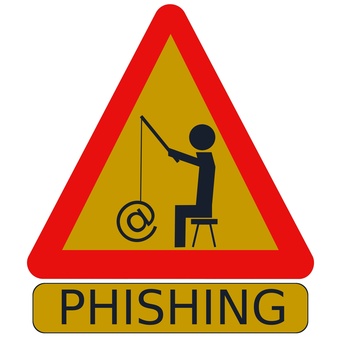
phishing
Share
Facebook Twitter LinkedIn Email Copy Link
Quick AI Summary
ChatGPTClaudeGeminiGrokPerplexityDeepSeekCopilot

Phishing is a form of identity theft that is popular with hackers. All phishing attacks seek to steal your personal data, most commonly your passwords and banking information, including your credit and debit card details. Hackers do this by sending fraudulent emails or directing users to websites that have specifically been set up to ‘harvest’ your personal information. The emails and websites are designed to look legitimate, that is, from organisations that you know and trust, whether it’s an online bank or social network.

Most often an email sends you to a website that will request your personal details. However, when you enter your data, it’s actually going directly to the hackers who will use it to try and access your accounts – whether it’s a bank, social network or some other. Some of the sites that are most commonly ‘spoofed’ or imitated include PayPal, Yahoo and eBay.

How to protect yourself against phishing

1.) Phishing emails can often be identified because they ask for confidential information such as passwords and account details. Some emails will embed forms in the email that request confidential information such as your name, address, banking details and so on. The hackers are often able to track all information entered. Most banks and organisations will never send out emails requesting this information unless you have specifically requested that they do so. So, if you haven’t made a request and you receive such an email like the one described above, be extremely wary.

2.) Phishers often use scare tactics. They send emails that threaten to discontinue a service or disable an account if you don’t perform a specific action, such as providing payment details or if you don’t update your information. If you receive an email like this from an organisation you know, check directly with the organisation. As a common rule, it’s extremely unusual for any legitimate organisation to use such aggressive tactics. Most companies tend to be more circumspect and will rarely request sensitive information.

3.) Another phishing giveaway is emails that make generic requests. Phishing emails are often generalised, while authentic emails will at least mention your name or account information. Some phishing emails even come from financial organisations that you have ever had any dealings with.

4.) Don’t fall for the free give-aways. Many phishing attempts come disguised as outrageous give-aways such as a free iPad or €500 free to spend in a well known retailer. They will try to lure you to a website via a link, where you can then simply enter your details in order to “win big’. However, increasingly these types of websites embed a virus into your computer and capture all your keystrokes in order to get your passwords and bank account details.

5.) Watch out for pop-up warnings. These often scream out at you that you’re computer has been compromised and to secure it you need to download a security fix. If you click, you’ll open up your computer to all sorts of nasty viruses. So don’t panic. Just simply turn away.

6.) Make sure you’ve got good security software on your computer like BullGuard Internet Security. It combats phishing by identifying ‘bad’ links in emails, and automatically detects and blocks fake websites, flagging them for you. It also authenticates major banking and shopping websites.

About BullGuard

bullguard_logoLaunched in 2002, BullGuard is one of the fastest growing internet and mobile security brands in the market today. Its product portfolio includes award-winning antivirus, a premium 24/7 protection suite, and web-based identity and social media protection that works across all devices. As part of its security service, BullGuard also provides customers with data backup for PCs and mobiles. Since its launch, the company’s philosophy has been to combine technical excellence and industry-leading practice with a genuine understanding of consumer needs. This means it creates simple, easy-to-use products that deliver complete protection so customers can effortlessly safeguard their digital footprint.

ISBuzz Team
  • ISBuzz Team
    Air Canada Data Breach: BianLian Extortion Group Claims A Massive Heist Contrary To Airline’s Earlier Statement
  • ISBuzz Team
    Unprecedented DDoS Attack Rocks The Web: Tech Giants Reveal A Digital Tsunami
  • ISBuzz Team
    CISA Flags High-Severity Adobe Acrobat Reader Flaw Amid Active Exploits
  • ISBuzz Team
    Curl Security Alert: Patching A Critical Bug Averting Potential Cyber Catastrophe

The opinions expressed in this post belong to the individual contributors and do not necessarily reflect the views of Information Security Buzz.

Share. Facebook Twitter LinkedIn Email Copy Link

Related Posts

The next phase of endpoint security starts with simplicity

June 24, 20266 Mins Read

New Phishing Kit Starkiller Defeats Multi-Factor Authentication

February 23, 20264 Mins Read

ReliaQuest Uncovers Social Media Phishing Campaign Built on Trusted Tools

January 22, 20266 Mins Read
ISB-Bora-Side-Bar

No se ha podido establecer conexión. Error 429

 
ISB-Bora-Side-Bar
Black ISB Logo

Information Security Buzz is an independent resource that provides the experts’ comments, analysis, and opinion on the latest Cybersecurity news and topics

X (Twitter) LinkedIn Facebook RSS

Working With Us

  • About Us
  • Advertise With Us
  • Contact Us

Write For Us

  • How To Contribute

The Pages

  • Privacy Policy
  • Cookie Policy
  • AI Policy
  • Terms & Conditions
  • Copyright Notice

Information Security Buzz and all its contents are copyright © 2014-2025. All rights reserved. All third-party trademarks are recognized.

Type above and press Enter to search. Press Esc to cancel.

Manage Consent
To provide the best experiences, we use technologies like cookies to store and/or access device information. Consenting to these technologies will allow us to process data such as browsing behavior or unique IDs on this site. Not consenting or withdrawing consent, may adversely affect certain features and functions.
Functional Always active
The technical storage or access is strictly necessary for the legitimate purpose of enabling the use of a specific service explicitly requested by the subscriber or user, or for the sole purpose of carrying out the transmission of a communication over an electronic communications network.
Preferences
The technical storage or access is necessary for the legitimate purpose of storing preferences that are not requested by the subscriber or user.
Statistics
The technical storage or access that is used exclusively for statistical purposes. The technical storage or access that is used exclusively for anonymous statistical purposes. Without a subpoena, voluntary compliance on the part of your Internet Service Provider, or additional records from a third party, information stored or retrieved for this purpose alone cannot usually be used to identify you.
Marketing
The technical storage or access is required to create user profiles to send advertising, or to track the user on a website or across several websites for similar marketing purposes.
  • Manage options
  • Manage services
  • Manage {vendor_count} vendors
  • Read more about these purposes
View preferences
  • {title}
  • {title}
  • {title}